Christmas Santa Funny Deer Illustrations for Festive Design
Understanding the Playful Charm of Christmas Santa Funny Deer Illustrations
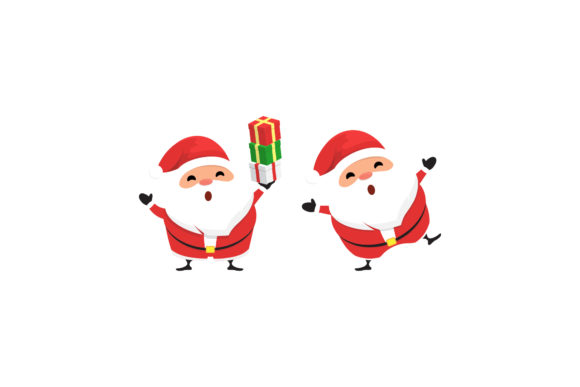
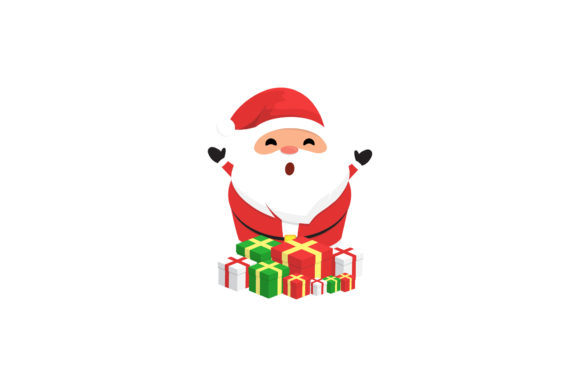
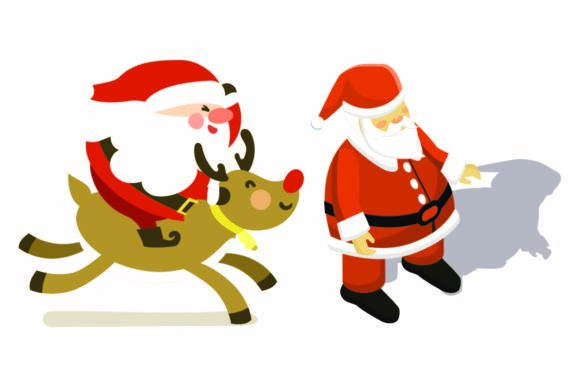
When you're working on a holiday campaign, you often need imagery that does more than just scream "December." You need character. That is exactly what the Christmas Santa Funny Deer Illustrations deliver. This collection is not just a set of random vector files; it is a specific aesthetic choice. The visual style here leans heavily into a whimsical, hand-drawn, and slightly exaggerated cartoon look. You will notice that the deer are not depicted as majestic forest creatures, but rather as goofy, lovable sidekicks to Santa.
The personality of these illustrations is approachable and humorous. The linework suggests movement and energy, avoiding the stiffness that often plagues generic holiday clipart. Whether it is the mischievous glint in a reindeer's eye or Santa's exaggerated belly laugh, the files capture a moment of joy. For designers, this translates to instant engagement. The style fits perfectly into the modern design assets landscape where authenticity and warmth drive consumer connection. The canvas size of 1920px by 1280px is a practical starting point, offering high resolution for both web sliders and moderate print applications without needing immediate upscaling.
Strategic Applications for Digital and Print Projects
Knowing where to deploy these assets is just as important as the assets themselves. Because the Christmas Santa Funny Deer Illustrations feature a distinct cartoon style, they are incredibly versatile across specific verticals. If you are a small business owner, these work wonders for social media graphics. Imagine a "12 Days of Christmas" campaign on Instagram; each post could feature a different funny deer to maintain visual consistency while keeping the content fresh. The PNG file included is particularly useful here, as it allows you to layer the characters over various background colors or photos without worrying about messy clipping paths.
For those in the physical product space, the SVG and DXF files are your best friends. If you run an Etsy shop selling custom t-shirts, mugs, or holiday ornaments, these vector formats ensure that the illustrations scale to any size without pixelation. You can easily import the EPS or AI files into cutting machine software like Cricut Design Space or Silhouette Studio. The humor of the deer makes them ideal for products targeting families or pet owners—audiences that appreciate lighthearted, festive merchandise.
Print Media and Editorial Uses
Do not overlook the power of print. The JPG file is ready to drop into editorial layouts for local magazines, church bulletins, or holiday party invitations. Because the illustrations are high-resolution, they hold up well on flyers or posters. If you are a blogger creating a holiday gift guide, these illustrations can break up long blocks of text, acting as visual anchors that guide the reader's eye down the page. They add a layer of professionalism to DIY projects that standard stock photos often fail to provide.
Integrating Illustrations into Brand Identity
While these are illustrations and not a typeface, they function similarly to a display font in your design hierarchy. They are the "voice" of your holiday branding. For a brand identity to feel cohesive, your imagery must match your typography. If you are using a playful handwritten font or a rounded sans serif font, these funny deer illustrations will complement that vibe perfectly. Conversely, pairing them with a stiff, traditional corporate serif might create a visual disconnect.
Consider how these assets influence audience engagement. In a crowded digital marketplace, humor is a differentiator. Using a funny Santa and deer combo can make your brand feel more human and relatable. It lowers the barrier to entry for new customers. When they see a character they like, they are more likely to stop scrolling. This is a practical application of modern typography and illustration theory—using visual elements to evoke an emotional response before the user even reads a word of copy.
Technical Specifications and Workflow Efficiency
Efficiency is key during the busy Q4 season. The inclusion of six different file formats—AI, EPS, SVG, DXF, JPG, and PNG—means you spend less time converting files and more time designing. The AI file is fully editable in Adobe Illustrator, allowing you to customize colors to match your specific brand palette. If your brand colors are specific shades of red and green, you can tweak the Santa suit and the deer's scarves to match your logo design guidelines exactly.
The EPS file ensures compatibility with almost any vector-based software, including CorelDRAW and older versions of Adobe software. This is crucial for commercial font and asset licensing, as it ensures the artwork remains crisp across different production pipelines. When you are working on packaging design, for example, you need assets that are production-ready. These vectors provide the clean edges required for professional printing and manufacturing processes.
Practical Design Tips for Implementation
To get the most out of these illustrations, think about context and spacing. Do not clutter your design by placing the deer right up against your text. Give them room to breathe. If you are designing a website header, consider using the deer to frame your main headline. This creates a natural visual path for the user.
Another tip is to use the illustrations as spot icons rather than just full scenes. You might isolate just the reindeer's head from the larger illustration to use as a bullet point marker in a list or as a favicon on your website. This maximizes the utility of the design assets you purchased. Finally, always ensure that the style of the illustration matches the tone of your web design. A funny deer works for a toy store or a bakery, but might be too casual for a law firm's holiday card. Context is everything in effective editorial design.